A new project
Give it a brief before the files pile up.
Your idea, working rules and first steps stay together from the start, ready for the agents helping you build it.
For solo founders and developers building with AI
IntelligenceOS gives your agents a project brief, a map of the files and instructions to pick up next time. So the decisions you make today are there for the next session.
A downloadable toolkit for new projects and the ones you’ve lost the thread of. Use it with a coding or content agent that can read local files and run commands.
One payment. No subscription. Mac, Windows and Linux. Current release: 1.1.1 · see what’s new.
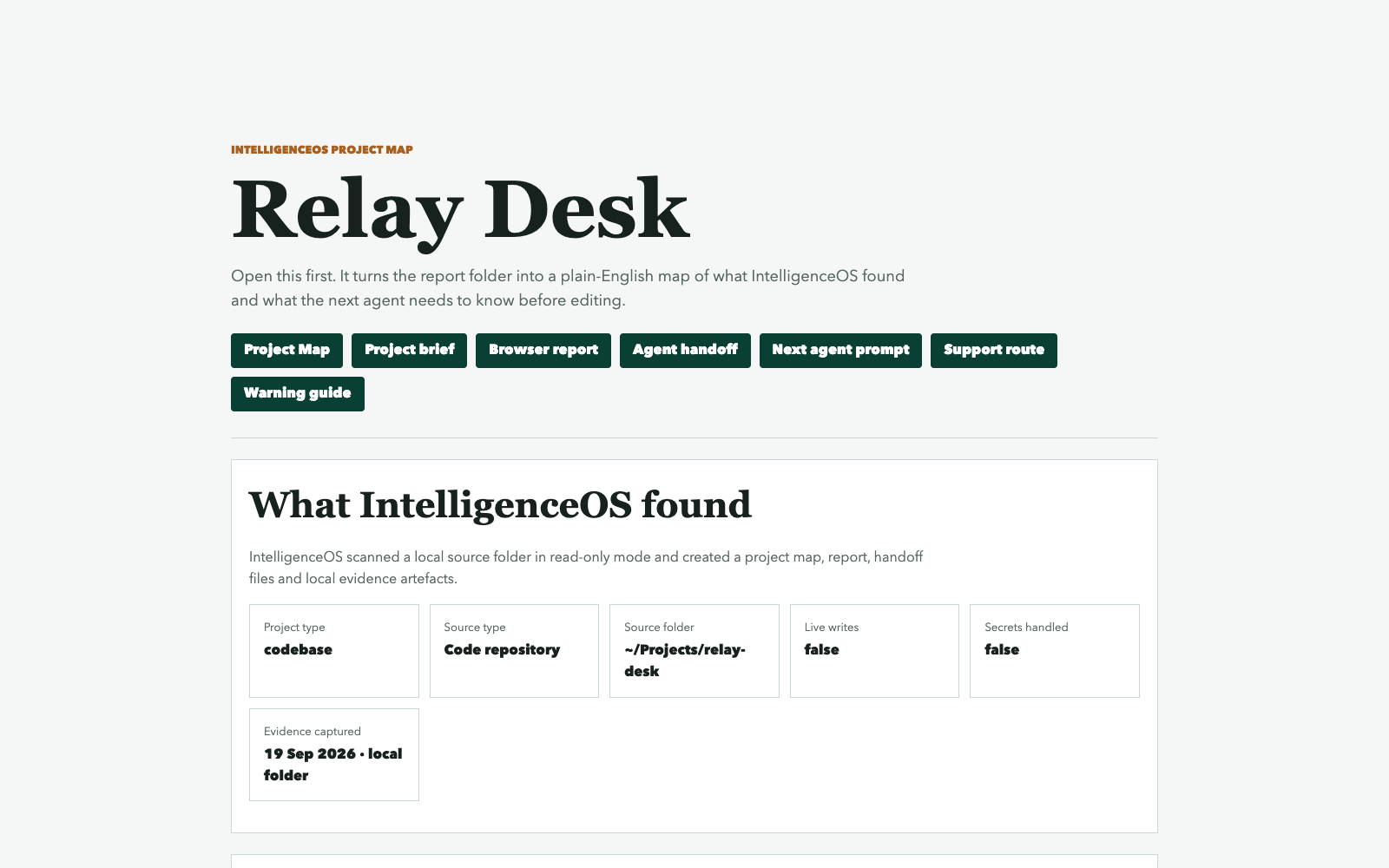
Actual output from the kit, using a fictional example project.
What it gives you
You shouldn’t have to piece together old chats to remember what you decided. IntelligenceOS keeps the useful context in the project itself.
What you’re building, who it’s for, what finished means and what your agents must leave alone.
The important files, existing instructions, gaps and next steps, brought together in a page you can open in your browser.
Reusable instructions and project knowledge your agents can reopen, check and update as the work develops.
Have a look inside. Explore the 1.1.1 Relay Desk map and report without signing up. See the project brief, seven mapped files and the next steps for an agent.
Open the sample Project MapWhere it helps
A new project
Your idea, working rules and first steps stay together from the start, ready for the agents helping you build it.
A project that has become messy
Map the files and instructions, spot gaps and give your agents a clearer starting point. IntelligenceOS does not silently rewrite the project.
Works with supported local code, documentation and content files. You still choose the direction and review the work.
Getting started
It asks four questions about the project, checks the local setup and prepares the brief and map. You approve the project-local installation before it adds the reusable skills.
Start here with your agent
Give the unzipped kit to a capable coding or content agent and ask it to read ONE_CLICK_AGENT_SETUP.md. It walks through the setup with you.
Prefer the guided local route?
Open 00_OPEN_FIRST.html for the local app, setup guidance and Mac or Windows launchers. Linux users can use the agent or command-line route.
Both downloads are included. Python 3.11 or newer is required. Your AI tool is separate; use one that can access your project files and run commands.
How I use it
I used IntelligenceOS with Codex while building Sideperk, my guide to AI tools and digital savings. The kit helped organise the brief, editorial rules and project knowledge behind the first ten listings and eight guides.
This was my own build using the 1.0.0 release-test package. I made the editorial decisions; hosting, deployment and later website work were separate.
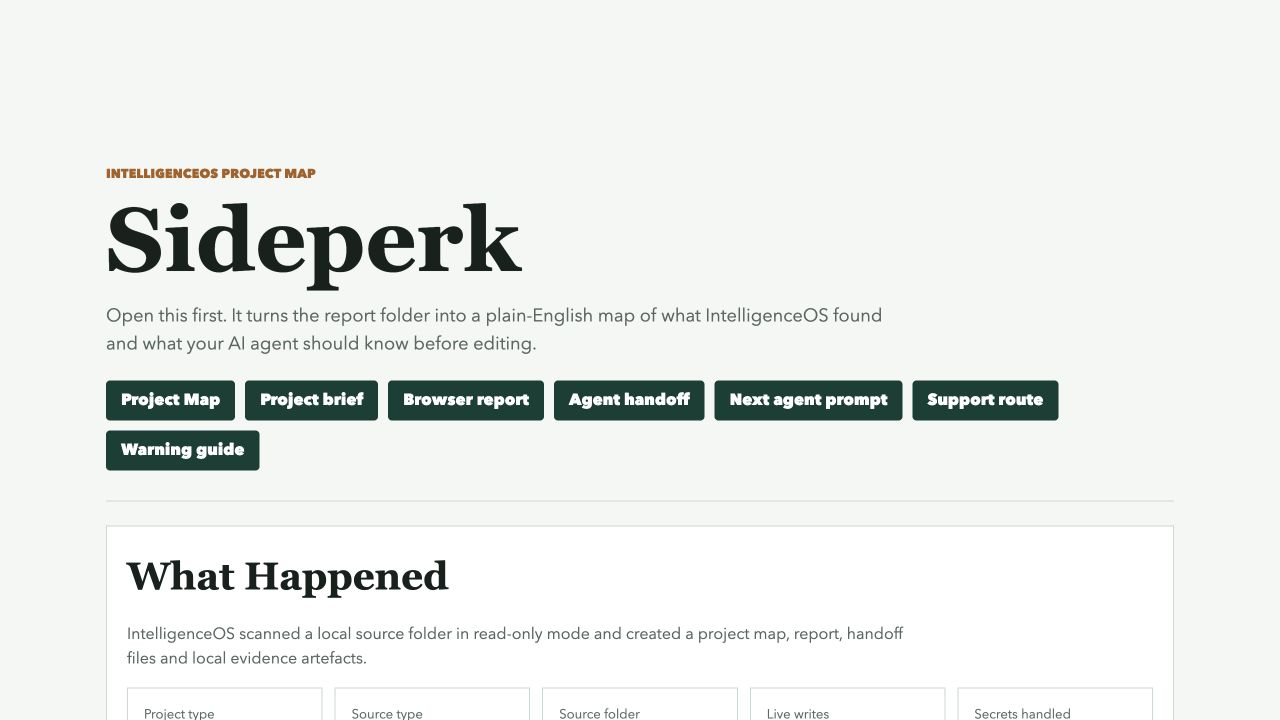
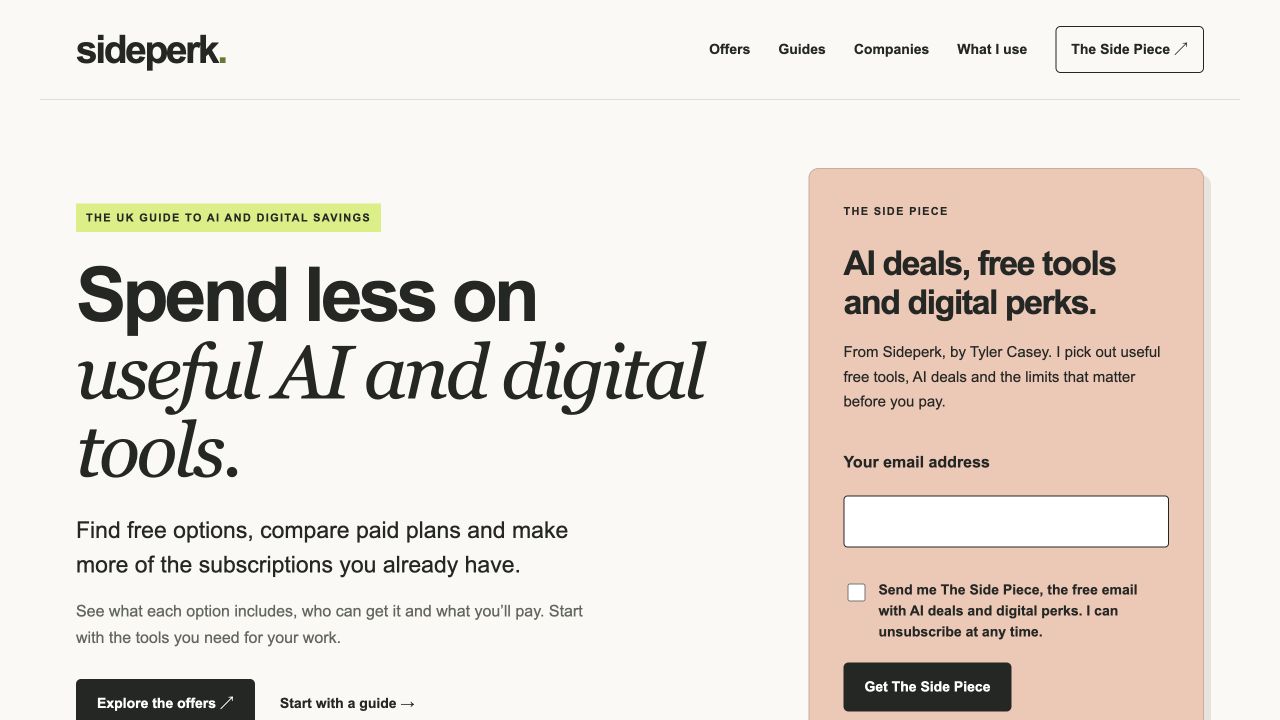
The toolkit files stayed unchanged. Sideperk needed a custom helper to select safe source files into a separate snapshot. We inspected file types the extractor omitted directly, copied the full writing profile into the run, corrected an evidence input and used absolute paths for the final knowledge update.
The writing profile was Sideperk’s accepted house style. It was not presented as a model of my personal writing. The earlier draft was kept separately.
This is my own implementation example. Hosting, email, deployment, application fixes and live testing were separate approved work. We did not test account acceptance, purchases or offer redemption, and we have not measured time savings. Later changes still need their own intelligence refresh and review.
The 1.0.0 package was supplied for release testing. This case study does not change the buyer-download version shown on this page.
Why I made it
I’m Tyler, an AI implementation engineer. Over four years of building with AI, I kept running into the same problem: useful decisions were getting lost between sessions.
I put the briefs, mapping tools, instructions and handoffs I developed into IntelligenceOS. You can build your own system. This gives you a working starting point to adapt, rather than assembling every part yourself.
The examples here are my own projects. They show how I work with the kit, rather than customer results or a promise of time saved.
My medical-cannabis information site made the need for source checks and clear review rules obvious. Those lessons shaped the kit's evidence and approval guidance.
My AI research publication brings articles, audio and media into one workflow. It shaped the research, writing and handoff guidance included in the kit.
My spreadsheet-template store brings together a catalogue, customer journeys and ongoing content work. Keeping those parts consistent helped shape the project mapping approach.
New in 1.1.1 · 19 September 2026
The kit grows out of work I’m doing with it. The latest release improves how it checks a run, handles updates and picks up the next session.
Run records link the checks to the exact files and outputs, making it easier to spot an old result.
Preview changes before applying them, preserve your project’s own rules and follow clearer recovery guidance if setup is interrupted.
The guidance checks whether project context is current and reopens the brief, map and handoff before work resumes.
Already bought IntelligenceOS? 1.1.1 is included with your purchase. There’s no upgrade fee.
Read the changelog How to get your updateA few useful answers
Those are a good start. IntelligenceOS adds a repeatable setup, a map generated from your files, a project brief, reusable skills and a handoff for future sessions. You’re buying the tools and workflow together. If your current setup already does everything you need, you may not need this.
The agent needs to read local files and run commands. A coding agent with access to your project can follow the included setup instructions; a chat window without those capabilities cannot run the kit by itself. There’s also a local Python command-line route, so the toolkit isn’t tied to one agent provider.
Five focused skills cover project mapping, content orchestration, expert drafting, your writing profile and portable project knowledge.
The first run creates PROJECT_BRIEF.md, PROJECT_MAP.html, a browser report, structured data and an agent handoff. A Git-aware, read-only scan maps supported files and existing instructions. Scan coverage and omissions stay visible.
If setup stops, the local diagnosis names what stopped and gives you a place to start fixing it. See a 1.1.1 example run record.
Yes. For content-led projects, the workflow checks what’s already covered, gathers sources, follows a writing profile made from your accepted work and checks claims before your review. Accepted work can then be recorded in the project’s knowledge bank.
It can also prepare covers, quote cards and screenshot frames. Replicate is optional and uses your own paid API access; the included Pillow route is local and more basic. Publishing remains a separate action you approve.
IntelligenceOS is local, read-only and credential-free by default. No CMS login, deployment, live publishing or account changes are included. It maps and advises; you decide what your agents do next.
WordPress and Ghost work from local configuration and exported files. The warnings help you review the project, but don’t replace a specialist security, legal, medical or factual audit.
You receive access to both downloads. Start with Agent Setup if you’re working with an agent, or Complete for the guided local route. The licence and included setup support are explained below.
One purchase
Get IntelligenceOS Agent Setup, IntelligenceOS Complete and five skills to use in your projects. One payment, no subscription, with lifetime IntelligenceOS product updates included.
Use it across the projects you own or manage, whether you’re working for yourself or buying for your business.
Get started for £49.50. Eligible first-time orders get 50% off with LAUNCH50, already added to the checkout link. Check the discounted total before paying. Offer ends 31 December 2026 at 23:59 UTC.
Your project outputs stay with you. IntelligenceOS does not upload them to MorpheOS. If you use a cloud-based agent, its provider’s data terms apply.
Your perpetual licence covers one person or purchasing business, for projects you own or are authorised to manage. You can keep using the version you’ve bought. Updates are included for the commercial lifetime of IntelligenceOS.
If a supported setup route is broken and stops you getting started, one first-run troubleshooting review is included. Custom implementation, ongoing consulting and other products are available separately.
By buying, you agree to the IntelligenceOS terms and buyer licence, including the immediate digital-supply terms shown at checkout. Our privacy notice explains payment and download delivery processing.
You’ll download version 1.1.1, supplied by MorpheOS. Your Stripe checkout and payment statement show IntelligenceOS.